ServiceNow: guide for your ServiceNow team
This guide is written for the ServiceNow administrators of an organization that runs PKIFactor. It lists everything to do on the ServiceNow side, in order, with the checks that prove each step. The PKIFactor side is described in ServiceNow; the two teams usually work together for one hour.
What you receive from ZetaCert
| File | Content |
|---|---|
PKIFactor_application_1.0.1.xml |
Update set of the PKIFactor application (scope x_<id>_pkifac_0): certificate inventory table, events API, role x_<id>_pkifac_0.api_user, access controls |
PKIFactor_catalog_integration_1.0.xml |
Update set of the catalogue integration (global scope): Script Include, catalogue category and items, client script, business rule, scheduled retry job, PKIFactor Ticket Feedback API, properties |
installer_servicenow.py and the .js files |
The same catalogue integration as a background script, if you prefer to install from source or to generate it in French |
Neither file contains a password, a key or any value specific to your instance.
Downloads: PKIFactor_application_1.0.1.xml, PKIFactor_catalog_integration_1.0.xml, installer_servicenow.py with installer_servicenow.js, PKIFactorClient.js, client_profils.js, regle_metier_catalogue.js, tache_reprise.js, api_retour_ticket.js.
What will run in your instance
| Element | Scope | Runs as | Touches |
|---|---|---|---|
| Certificate inventory table | PKIFactor app | written by svc_pkifactor_api |
its own table only |
Events API POST /api/x_<id>_pkifac_0/events |
PKIFactor app | svc_pkifactor_api |
creates or updates incidents and change requests |
Script Include PKIFactorClient |
global | the requester (GlideAjax) or the system (business rule, job) | outbound REST through the MID Server; work notes and state of PKIFactor catalogue items |
| Business rule PKIFactor - send catalog request | global, async, after insert on sc_req_item |
system | only requested items of the PKIFactor items |
| Scheduled job PKIFactor - retry deferred requests | global, every 10 minutes | system | only PKIFactor items marked for retry |
Scripted REST API PKIFactor Ticket Feedback POST /api/<namespace>/pkifactor_feedback/note |
global | svc_pkifactor_api (role checked in the script) |
work notes of PKIFactor items only; any other ticket returns 404 |
1. Import the update sets
For each XML file, in this order (application first):
- System Update Sets > Retrieved Update Sets > Import Update Set from XML, choose the file, Upload.
- Open the retrieved update set, Preview Update Set. A preview problem on
sys_metadata_deleterecords can be skipped (they refer to development records that never existed in your instance). - Commit Update Set.
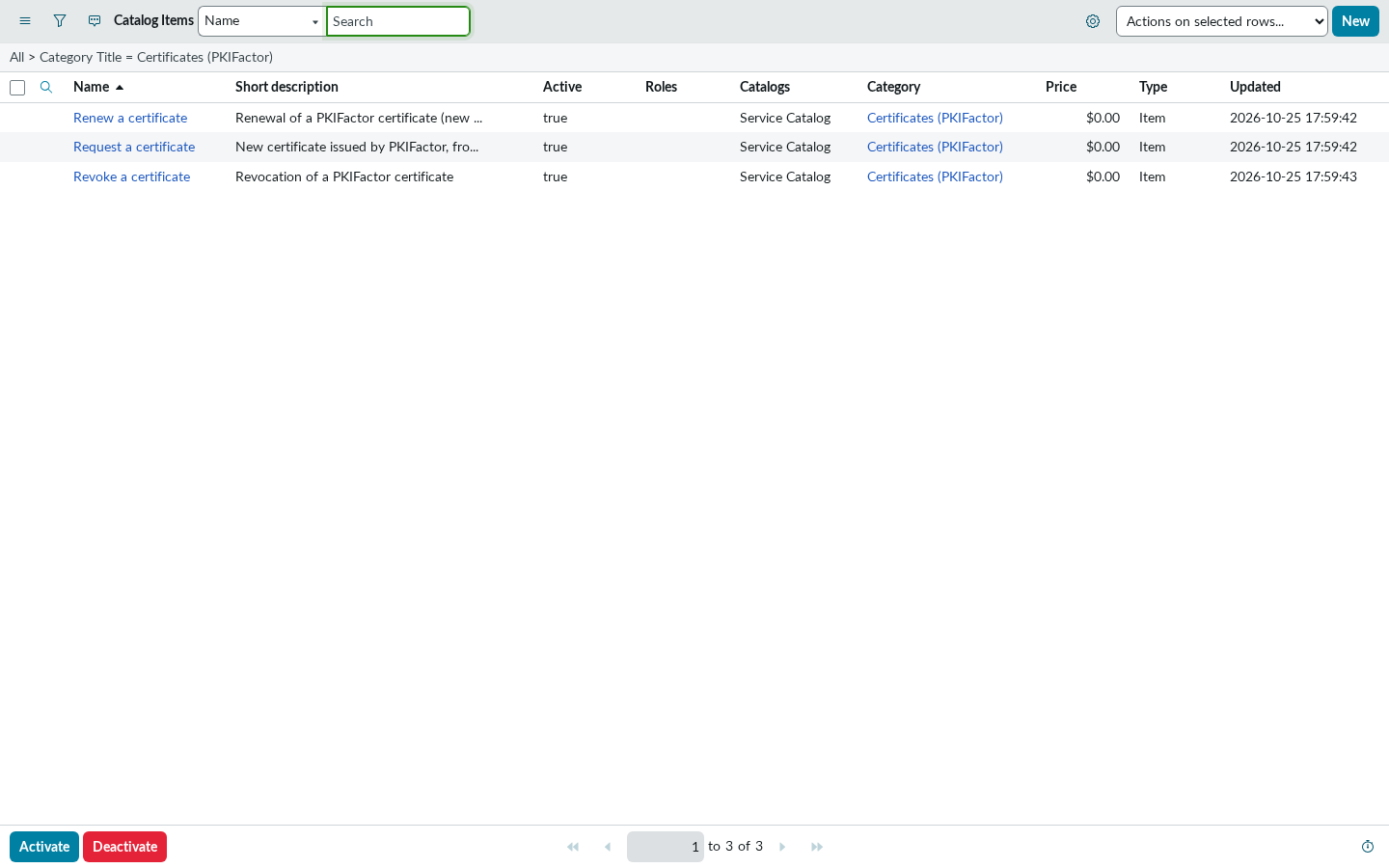
Check: System Applications > All Available Applications > All lists PKIFactor 1.0.1; Service Catalog > Catalog Definitions > Maintain Items lists Request a certificate, Renew a certificate and Revoke a certificate in the category Certificates (PKIFactor).
Execution plan
The three items must have no flow, no workflow and no execution plan. If your instance sets a default execution plan on new items, clear the Execution plan field on the three items: otherwise catalogue tasks are created for certificates that PKIFactor already issued.
2. Create the service account
This account is used by PKIFactor to write the inventory, open tickets and write the ticket notes. Elevate to security_admin first (avatar > Elevate role).
-
All > sys_user.list > New:
Field Value User ID svc_pkifactor_apiFirst name / Last name PKIFactor/Service AccountIdentity type Machine Web service access only ticked Internal Integration User not ticked -
Submit, reopen the record, Set Password. Use a long password that satisfies your password policy (for example 28 characters with letters, digits and
-or_). Then check that Password needs reset and Locked out are not ticked, and click Update. - Roles > Edit: add only
x_<id>_pkifac_0.api_user. - Groups: the account must belong to no group.
Give the password to the PKIFactor administrator through your usual secret channel.
Why Web service access only matters
Recent releases restrict basic authentication (property glide.authenticate.basic_auth.restriction.active). Only accounts listed in glide.authenticate.basic_auth.allowed_users, or Web service access only accounts, may authenticate with a password on the REST API. A service account without this flag gets 401 User is not authenticated on every call.
Scripting governance
If scripting governance is not configured in your instance, an auto-provisioning job adds new accounts to the group Conditional Script Writer, which grants snc_required_script_writer_permission. This is ServiceNow behaviour, not PKIFactor's. Configure scripting governance, or accept this role on an account that cannot sign in to the user interface.
3. Check the access controls of the inventory table
All > sys_security_acl_list.do, filter Name starts with x_<id>_pkifac_0_certificate. There must be four record rules:
| Operation | Role required |
|---|---|
| read, create, write | x_<id>_pkifac_0.api_user |
| delete | admin |
Never delete the delete rule: without a rule, ServiceNow allows the deletion.
4. Install the MID Server (catalogue only)
Skip this section if your PKIFactor is reachable from the ServiceNow instance over the Internet (in that case, leave x_pkifactor.mid_server empty and restrict PKIFactor's /api/integrations/servicenow to the instance's outbound addresses).
The MID Server is a small Java service, installed on a Linux or Windows host of your network, that opens an outbound connection to your instance and carries the calls from ServiceNow to PKIFactor.
- Create its account: user
svc_mid_pkifactor(any name), identity type Machine, Web service access only, single rolemid_server, password as above. - Download the MID Server from MID Server > Downloads, matching your instance version. On Debian or Ubuntu, take the ZIP archive: the
.debpackage depends onglibc(a Red Hat package name) and does not install. -
Install it (Linux example):
sudo useradd -r -m -d /opt/servicenow -s /usr/sbin/nologin svcmid
sudo mkdir -p /opt/servicenow/mid
sudo unzip -q mid.<release>.linux.x86-64.zip -d /opt/servicenow/mid
sudo chown -R svcmid:svcmid /opt/servicenow
cd /opt/servicenow/mid/agent
Edit
config.xml:url(https://<instance>.service-now.com/),mid.instance.username,mid.instance.password(encrypted automatically at the first start) andname(for examplepkifactor-mid-01). Then:echo "RUN_AS_USER=svcmid" | sudo tee -a bin/mid.shconf_override sudo chmod 600 config.xml sudo bin/mid.sh install && sudo bin/mid.sh start -
Trust PKIFactor's certificate. The MID Server uses its own Java trust store. If PKIFactor's certificate is issued by an internal authority, import its root certificate:
sudo jre/bin/keytool -importcert -noprompt -alias pkifactor-root \ -file /path/to/root-ca.pem -keystore jre/lib/security/cacerts -storepass changeit sudo bin/mid.sh restart -
Validate it in the instance: MID Server > Servers, open the server (status Up), Validate.
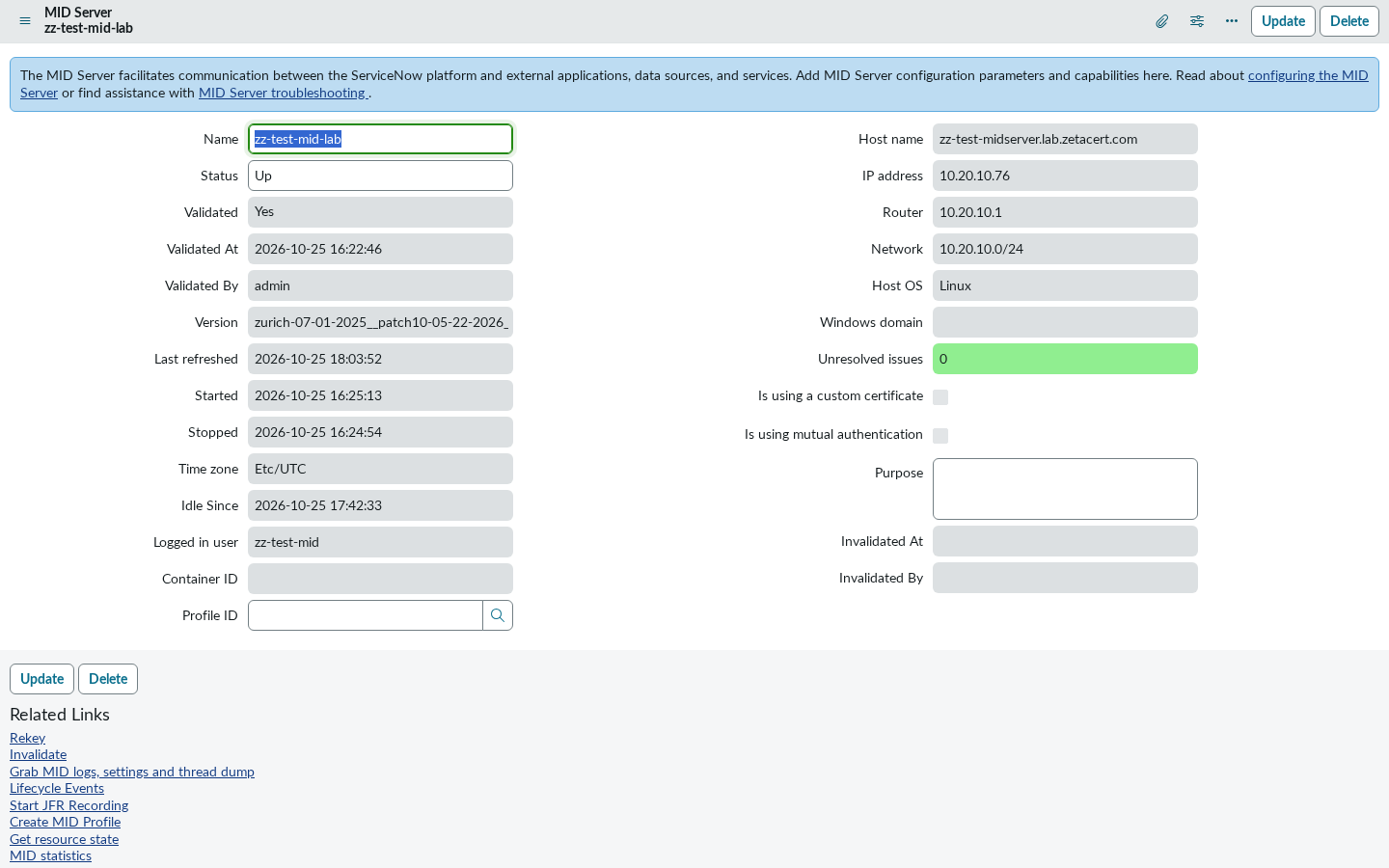
Check: the MID Server shows Up and Validated; from the MID host, curl https://clm.example.com/api/integrations/servicenow/templates returns 401 (reachable, authentication required).
5. Store the PKIFactor key
The PKIFactor administrator generates the inbound API key (prefix pkf_sn_) and gives it to you once.
- Connections & Credentials > Credentials > New > API Key Credentials, name
PKIFactor - inbound API key, paste the key in API Key, Submit. - Note the record's sys_id (right-click the header > Copy sys_id).
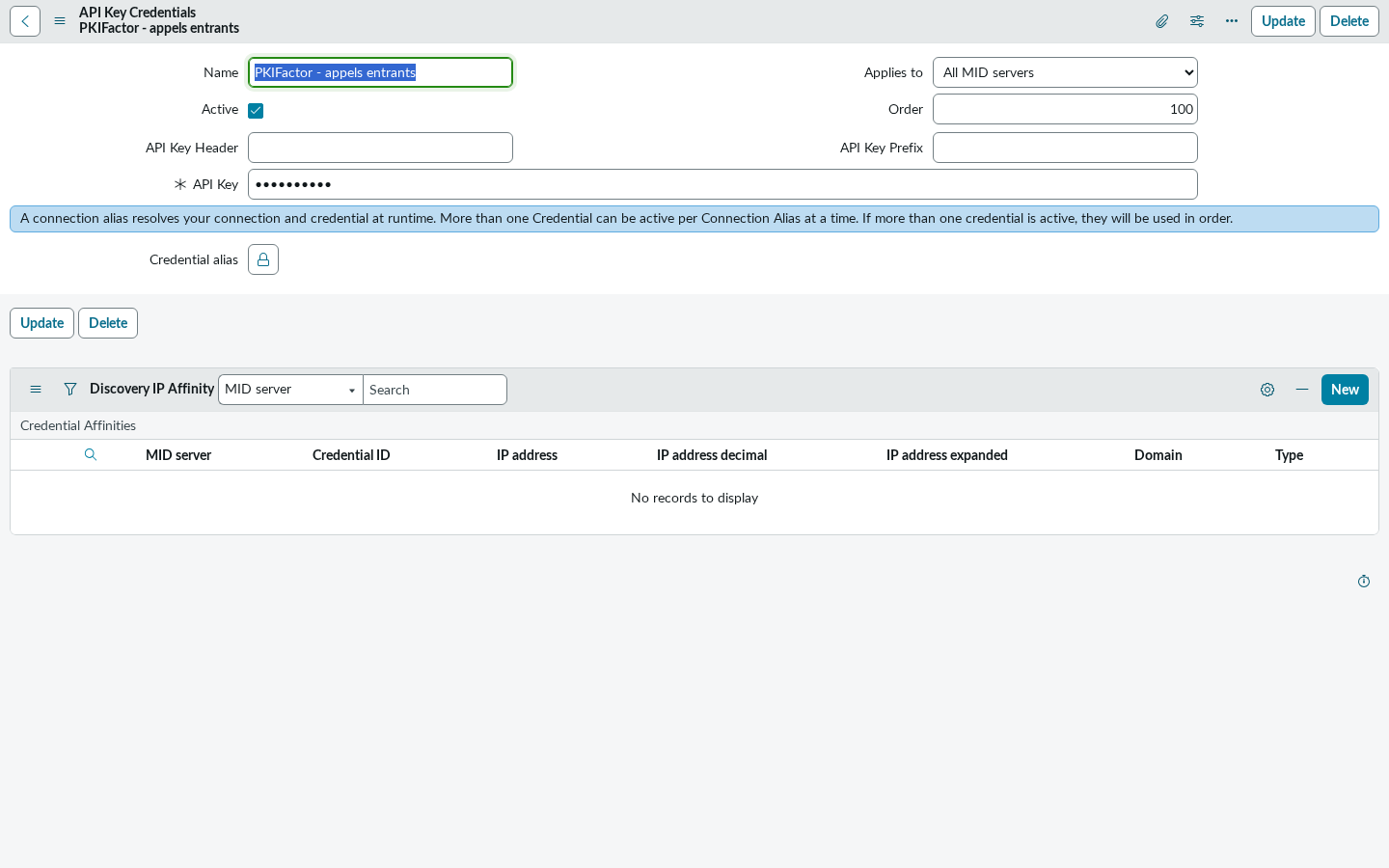
The key is stored encrypted by ServiceNow and read server-side only; requesters need no role to use the catalogue items.
6. Set the properties
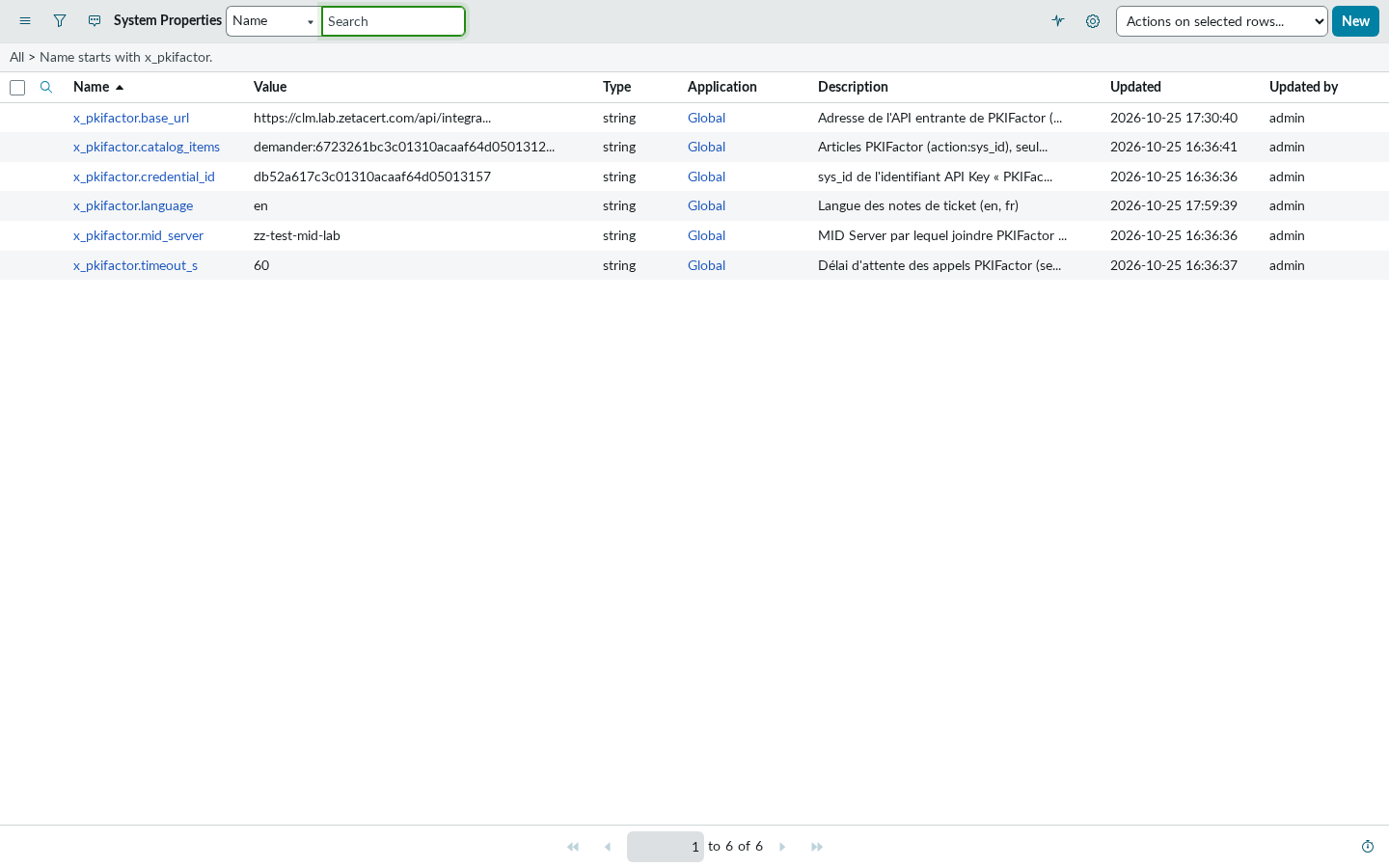
All > sys_properties.list, filter Name starts with x_pkifactor.:
| Property | Value |
|---|---|
x_pkifactor.base_url |
https://clm.example.com/api/integrations/servicenow |
x_pkifactor.mid_server |
the MID Server name (empty for a direct call) |
x_pkifactor.credential_id |
the sys_id copied at step 5 |
x_pkifactor.timeout_s |
60 |
x_pkifactor.language |
en or fr: language of the work notes |
x_pkifactor.catalog_items |
set by the update set: action:sys_id of the three items; change it only if you copy the items |
7. Tell PKIFactor where to write the ticket notes
Give the PKIFactor administrator the path of the feedback API: System Web Services > Scripted REST APIs > PKIFactor Ticket Feedback, field Base API path, followed by /note, for example /api/1234567/pkifactor_feedback/note.
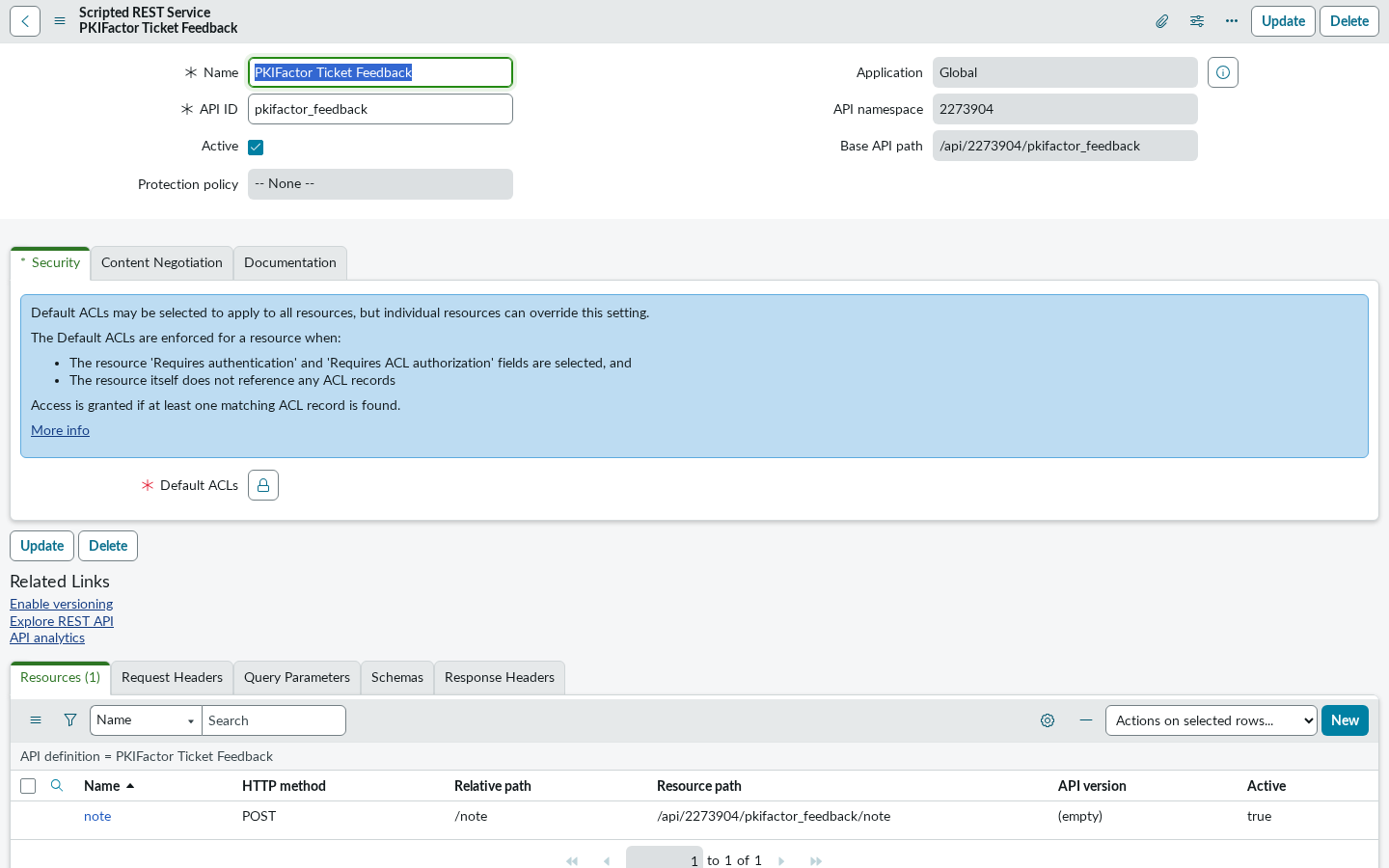
PKIFactor writes "certificate issued" and "certificate revoked" there, with no right to read catalogue tickets.
8. Test
Use a test person who exists in PKIFactor with the same e-mail and belongs to the organization of at least one profile open to ServiceNow.
| Test | Expected result |
|---|---|
| Open Request a certificate as the test person | The profile list shows only that person's profiles, with (with approval) where relevant |
| Order with a profile without approval and a valid CSR | Within seconds: work note certificate no. N issued, item Closed Complete; the certificate appears in the inventory table |
| Order with a profile with approval | Work note waiting for approval, item Pending; after approval in PKIFactor: note certificate no. N issued (serial ..., expires ...), item Closed Complete |
| Revoke a certificate with its number | Note revocation recorded; the inventory record becomes revoked |
| Stop the MID Server, order, start it again | Item stays Work in Progress with a note; within 10 minutes the job retries and the certificate is issued once |
9. Day to day
- Assignment: route PKIFactor incidents and changes with an assignment rule (caller is
svc_pkifactor_api). - Key rotation: when PKIFactor rotates the inbound key, update the credential of step 5. The old key stops working immediately.
- Service account password: when you change it, give the new one to the PKIFactor administrator at once. Until it is entered in PKIFactor, inventory updates and tickets fail and are counted as errors; they are not kept for later. Once the new password is saved, the PKIFactor administrator clicks Resync the whole fleet to bring the inventory up to date; incidents and change requests raised in the meantime are not sent again.
- Upgrades: the update sets contain no instance-specific value except the properties; re-importing a newer version keeps your property values only if you do not overwrite them during preview.
Troubleshooting
| Symptom | Where to look | Fix |
|---|---|---|
401 for svc_pkifactor_api |
System Logs > Events, event login.failed for the account |
Password, Password needs reset, Web service access only |
| Setting a password through the API does nothing | Same, the password policy rejected it | Use the form, with a policy-compliant password |
| Profile list shows Unavailable | The field message gives PKIFactor's answer | Credential sys_id, credential active, MID Server up |
| Unknown requester | Work notes | The person must exist in PKIFactor with the same e-mail |
| temporarily unreachable | MID Server > ECC Queue, MID Server logs agent/logs/agent0.log.0 |
MID Server status, trust store, PKIFactor availability |
PKIX path building failed in the MID logs |
MID Server trust store | Import PKIFactor's root certificate (step 4) |
| Catalogue tasks created | The item's Execution plan | Clear it |