Check Point
On a Check Point firewall, PKIFactor does not deliver the firewall's own certificate: it hands the firewall the certificate of a site it protects, so that inbound HTTPS inspection can decrypt the traffic to that site. Read How deployment works first.
Tested
Tested on Gaia R81.20 (Management API): creation of the server certificate object, publication in an isolated session, renewal by replacing the same object, removal. The least-privilege account was proven: object changes and publication accepted, rule changes and policy installation refused.
Two consequences of inspection
- Key custody
push_bothis mandatory. The firewall must hold the same private key as the site. PKIFactor generates the key and delivers it, identically, to the site (an F5, a server) and to the Check Point. The binding form offers only Key generated by PKIFactor and pushed to the appliance on this kind of target, and the API refuses key on the device. - Separation of roles. PKIFactor never creates, changes or deletes a rule. It manages server certificate objects only, under a stable name; the inspection rule that references them, and the policy installation, belong to the network team.
How it works on the device
A server certificate is a management object (type server-certificate) holding certificate and key. An inbound HTTPS inspection rule references it by name. Deploying puts the certificate in the object and publishes; renewing replaces the content of the same object (set-server-certificate): the rule does not change, and the gateway serves the new certificate at the next policy installation.
The object name is the binding's Server certificate object field, keeping letters and digits only (Check Point accepts nothing else): www.example.org becomes wwwexampleorg. The certificate keeps its common name and alternative names. Two sites that would give the same object name on the same target are refused.
Prerequisites
- Open the Management API to PKIFactor. SmartConsole: Manage & Settings > Blades > Management API > Advanced Settings > Accept API calls from: the PKIFactor address; Publish, then
api restarton the management server. Allow HTTPS (443) from PKIFactor to the management server. - Use a management administrator, not a Gaia account: the Gaia OS administrator cannot sign in to the Management API.
-
Create a permission profile
clm(Permissions & Administrators > Permission Profiles > New, Customized). A new profile comes with many boxes ticked: untick, do not only add.Tab Setting Gateways Read at most Access Control Show Policy; no blade under Edit layers; NAT, QoS, DLP, Geo: Read; Objects and Settings: Read (required to save a profile with HTTPS Inspection); Install Policy unticked Others HTTPS Inspection: Write and Common Objects: Write (the only write rights; a server certificate is a common object); everything else unticked Threat Prevention, Events Nothing, or Read Management Management API Login; Publish sessions without an approval; nothing else Endpoint Untick everything -
Create the administrator
clm-svcwith this profile, authentication Check Point Password, and untick User must change password at next login (otherwise the API refuses the login). Publish.
Common Objects: Write also allows creating other common objects; without a rule using them they have no effect on traffic, and every action is attributed to clm-svc in the audit log.
Declare the device
Administration > Operations > Endpoints, Add a target, connector type Check Point:
| Field | Value |
|---|---|
| Host, Management API port | The management server (not the gateway), 443 |
| Service account, password | clm-svc (or an API key of that account) |
| Domain | Empty on a single management server; the domain name on a Multi-Domain Server |
| Policy package and Target gateways | Empty: PKIFactor deposits and publishes, without installing |
| Verify the management TLS certificate, Management CA (PEM) | On, with the management CA |
Test the connection answers Check Point Management joignable (Web API) with the API version (connector messages are in French in this version). Discovery lists the gateways and the existing server certificate objects: the starting inventory and the basis of drift detection.
Deploy a certificate
Create a binding (Add a binding): Issue from a template (or an existing certificate), Server certificate object (the name of the object on the management server, created if it does not exist), custody Key generated by PKIFactor and pushed to the appliance, automation Full auto, D-X. Since version 1.8.49 the form has this single field, always typed in, instead of the F5 terms virtual server and profile. In its own management session, PKIFactor:
- reads the object to decide between creation and replacement;
- imports certificate and key as PKCS#12 with a one-time password;
- publishes and waits for the task to finish; with no policy package configured, stops there;
- discards any unpublished change and signs out, so that a failure never leaves a session or a lock behind.
Once, the network team references the object in the inbound HTTPS inspection rule (Certificate column) and installs the policy. The object is listed under SmartDashboard > HTTPS Inspection > Server Certificates, not in the object explorer.
The CA chain is not needed for inbound inspection: the site presents its certificate and chain to clients, and the gateway uses the site's key to decrypt.
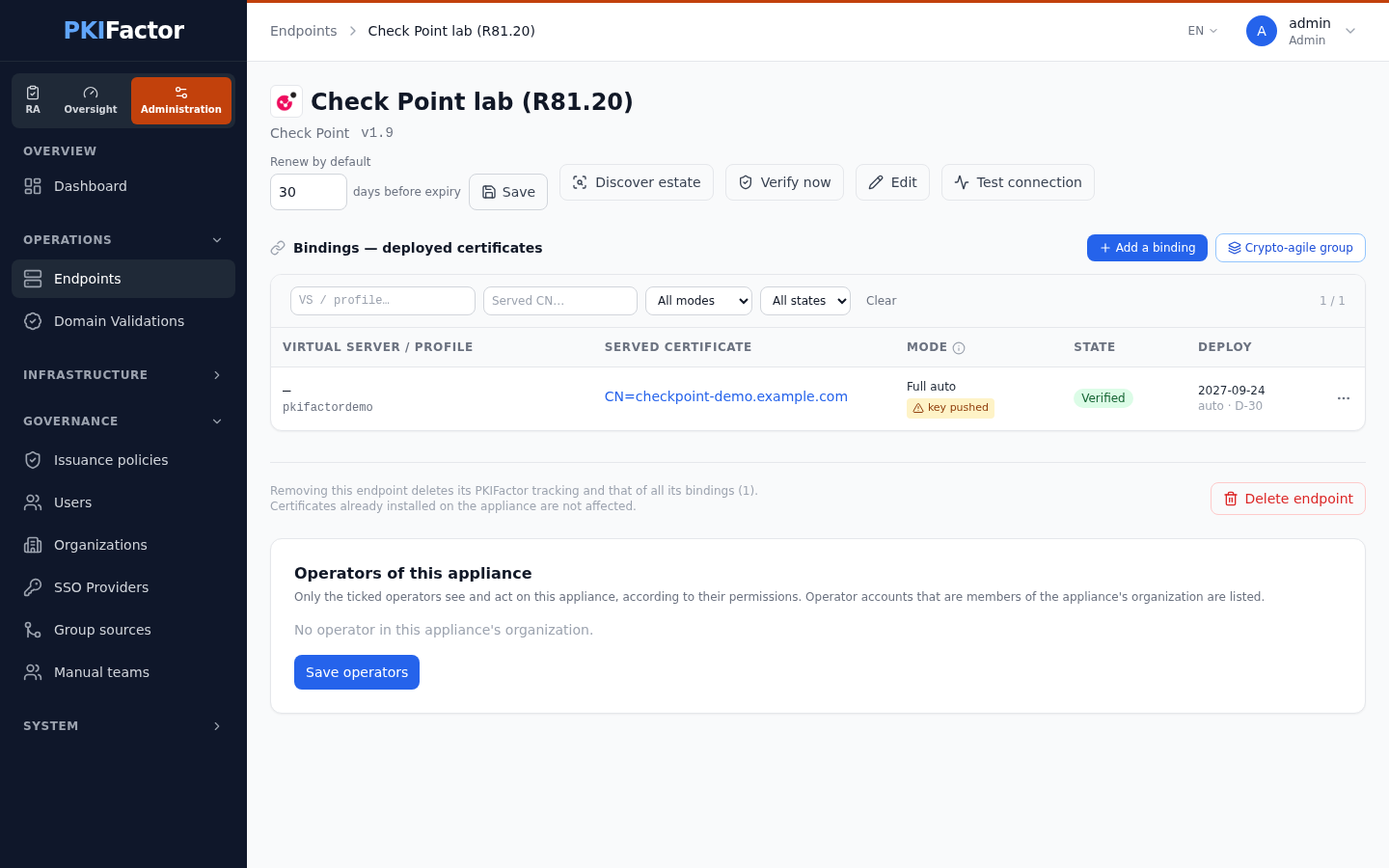
Renewal: published, not installed
At D-X PKIFactor issues the new certificate and replaces the content of the object. On Check Point, a gateway serves a published change only after Install Policy, and there is no partial installation: an installation pushes the whole published policy, including changes the network team did not intend to install yet. Therefore:
- PKIFactor never installs the policy by default (empty policy package, and the
clmprofile forbids installation); - each publication raises a notification and, when ServiceNow is configured, a change request "policy installation required before
"; - the expiry alert stays armed as long as the gateway serves the previous certificate.
An Install by PKIFactor option exists per target (policy package and gateways) for a dedicated gateway without a shared rulebase. It is not recommended, and requires a broader account.
Troubleshooting
| Symptom | Cause and fix |
|---|---|
| 403 at login, Accessibility: Require local | The API is not open to PKIFactor (prerequisite 1) |
err_login_failed with a Gaia account |
Use a management administrator |
| User must change first-time password | Untick the option, or change the password once |
| Too many requests (403) | Login rate limit: PKIFactor reuses its session; avoid repeated manual tests |
| Management server failed to execute command on creation | Profile without HTTPS Inspection: Write |
| Object ... is locked by another session, error '-1' | An API session with unpublished changes holds a lock: Manage & Settings > Sessions, discard or disconnect it |
| Certificate published but the previous one still served | No Install Policy yet |
| Intermittent Failed to create HTTPS certificate with error '-1' | Under-sized management server: 8 GB and 4 vCPU minimum |
| F5 / FortiWeb | Palo Alto | Check Point | |
|---|---|---|---|
| Certificate | The device's own (TLS termination) | The site's (inspection) | The site's (inspection) |
| Key custody | Key on device or pushed | Pushed | Pushed |
| Who binds the rule or virtual server | PKIFactor | The network team, once | The network team, once |
| Activation | Immediate | Partial commit limited to PKIFactor's account | Publication; installation by the network team |