Fortinet FortiWeb
FortiWeb, the Fortinet web application firewall, terminates TLS in front of a server pool. PKIFactor deploys the server certificate onto it with the same model as an F5: a declared device, one binding per server policy, the same automation levels, D-X, daily digest and veto. Read How deployment works first.
Tested
Tested on FortiWeb 7.6: import, discovery of the HTTPS server policies, binding of the certificate to a policy, rotation without interruption, from the interface and through the API.
How it works on the device
| FortiWeb object | Role |
|---|---|
Local certificate (system/certificate.local) |
Holds the certificate and its key, identified by its name |
Server policy (server-policy/policy) |
An HTTPS virtual server that references a local certificate (field certificate) |
Deploying imports the certificate under a versioned name (zetacert_<cn>_<timestamp>) then points the server policy at it. Renewing imports the new certificate, repoints the policy, then deletes the previous object, in that order: the policy never stops serving.
Key custody: PKIFactor generates the key and imports it with the certificate (push_both). FortiWeb offers no key generation on the device that PKIFactor could drive, so key on the device, FIPS and netHSM do not apply: the binding form offers only Key generated by PKIFactor and pushed to the appliance.
Prerequisites: a restricted service account
PKIFactor does not need the admin super-user. Create an access profile (config system accprofile) with only two groups in read-write, and a dedicated administrator using it:
| Access profile group | Used for | Level |
|---|---|---|
sysgrp (System) |
Import and delete local certificates; read system/state for the session token |
read-write |
traroutegrp (Traffic / Route) |
Read server policies and pools (discovery); bind the certificate to a policy | read-write |
All other groups (admingrp, netgrp, authusergrp, loggrp, mlgrp, mntgrp, wadgrp, wvsgrp) |
Not used | none |
This profile covers the whole cycle and can neither create administrators nor change the network configuration.
Declare the device
Administration > Operations > Endpoints, Add a target, connector type Fortinet FortiWeb:
| Field | Value |
|---|---|
| Host | IP or FQDN of the management interface |
| Service account and password, or API token (optional) | The restricted administrator above |
| VDOM | root by default |
| Verify the management TLS certificate, Management CA (PEM, optional) | On; provide a private CA as PEM rather than disabling it |
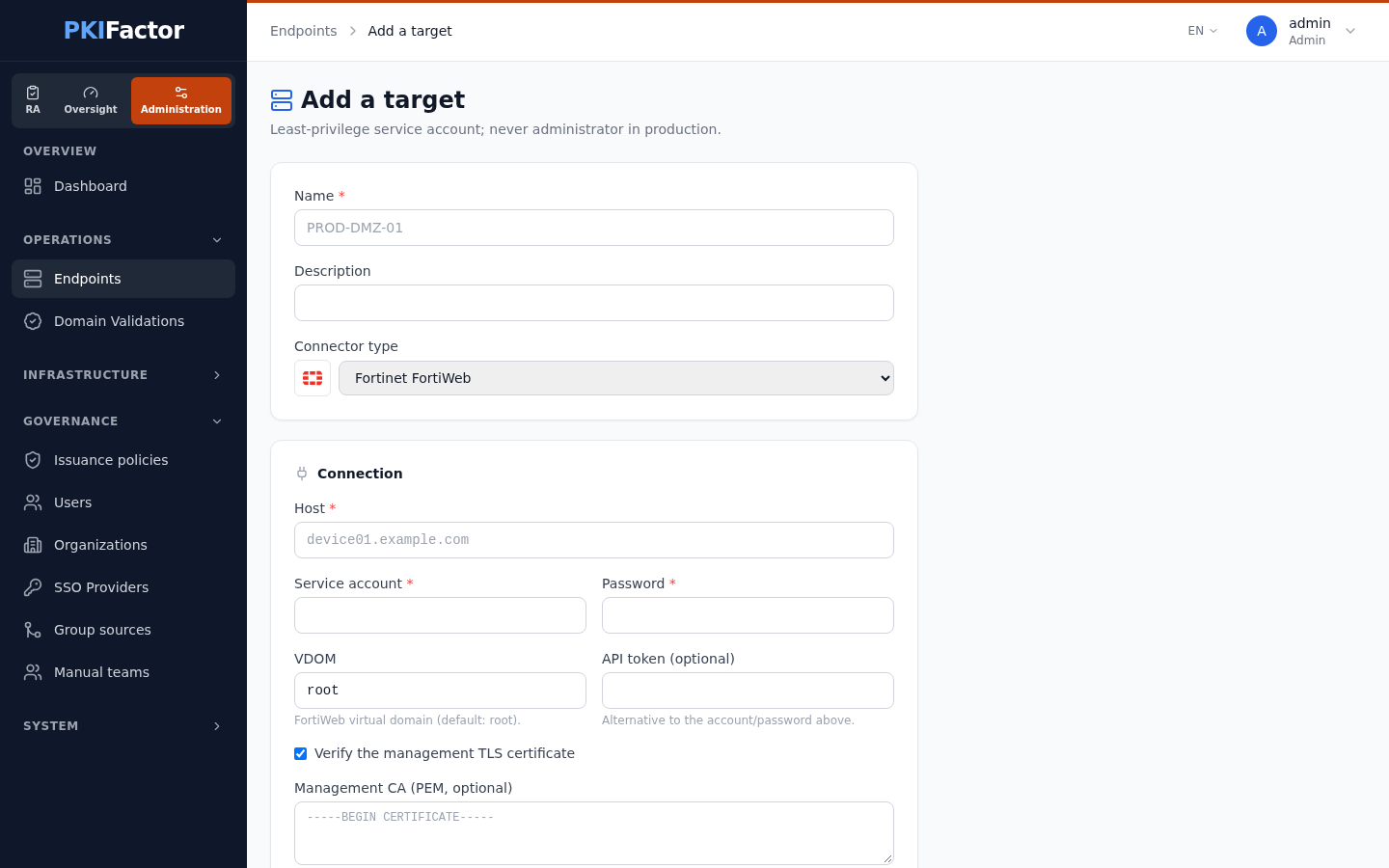
Test the connection (in the form) and Test connection (on the device page) open a session, read the FortiWeb version and check access to the server policies. The answer is FortiWeb joignable (API v2.0, session établie) (connector messages are in French in this version).
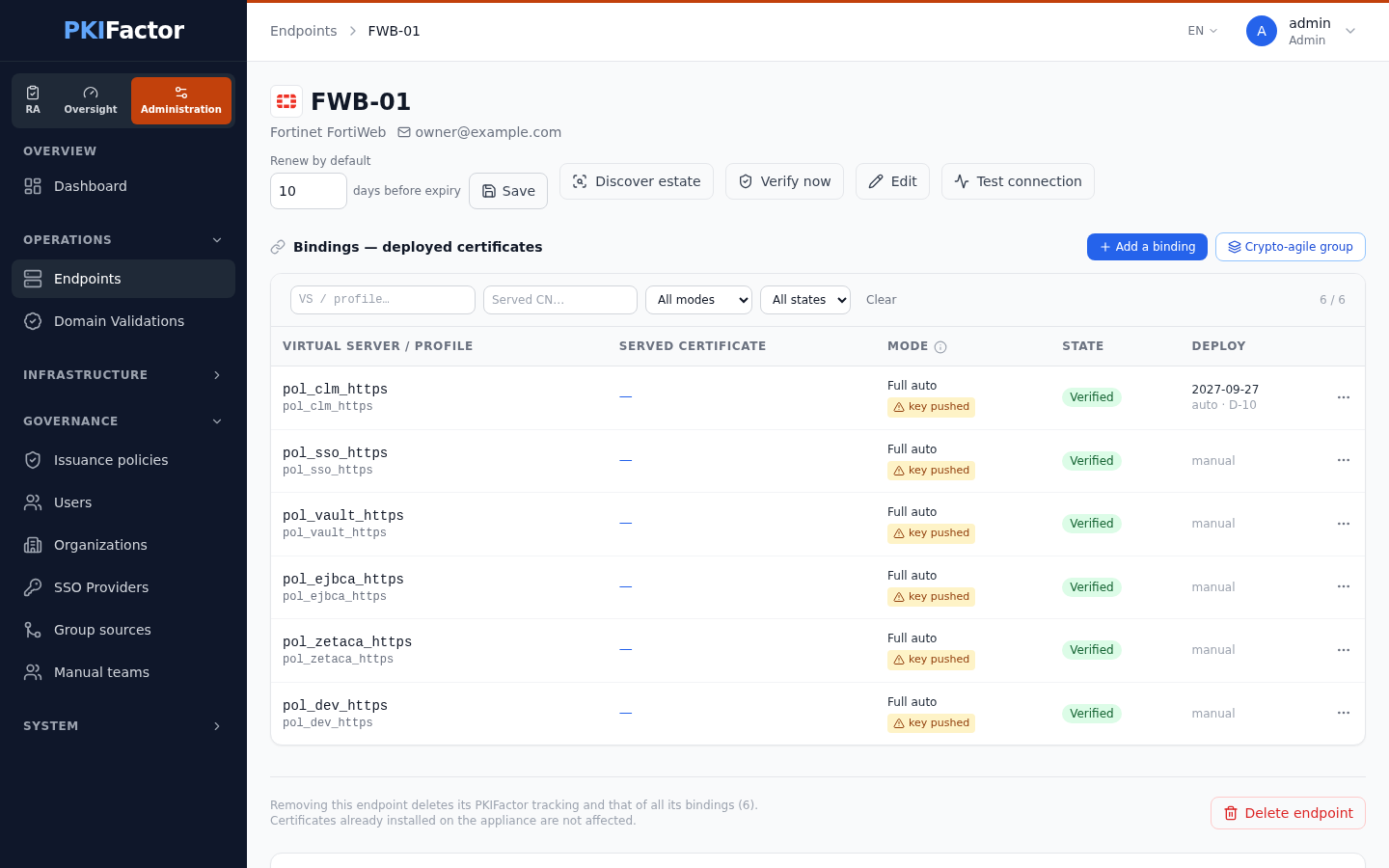
Deploy a certificate
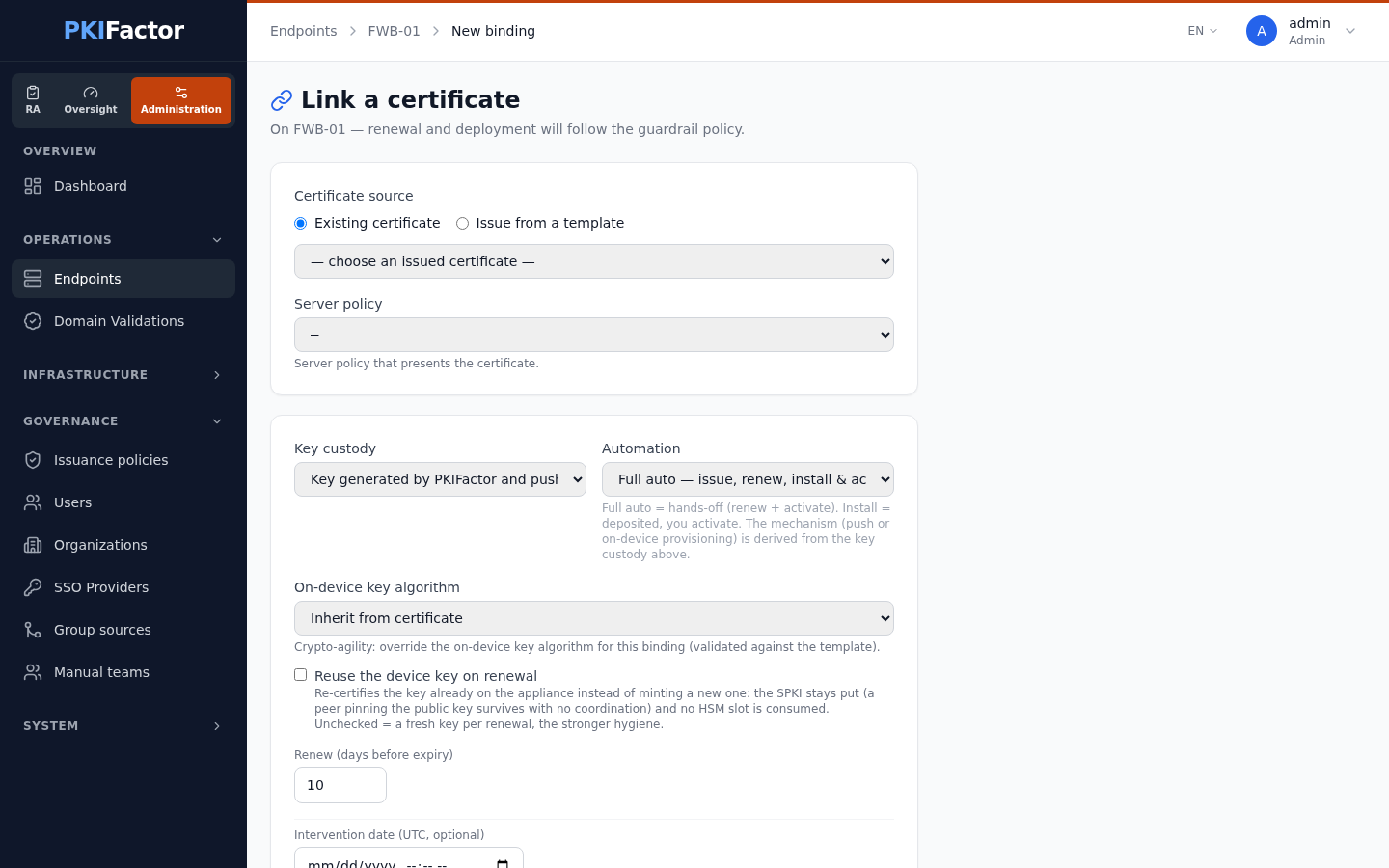
From the device page (Add a binding) or from discovery (Create binding):
| Field | Purpose |
|---|---|
| Certificate source | Existing certificate, or Issue from a template with the CN to issue |
| Server policy | The HTTPS policy that will serve it (one per binding), chosen in the list read from the FortiWeb or typed in |
| Key custody | Key generated by PKIFactor and pushed to the appliance (the only choice) |
| Automation | Full auto, Install, Provide only, ACME |
| Renew (days before expiry), Intervention date (UTC, optional) | Renewal threshold and one-shot date |
Since version 1.8.49 the form has this single field, Server policy, instead of the F5 terms virtual server and profile. The owner team that receives the digest is set on the device.
Take over an existing FortiWeb
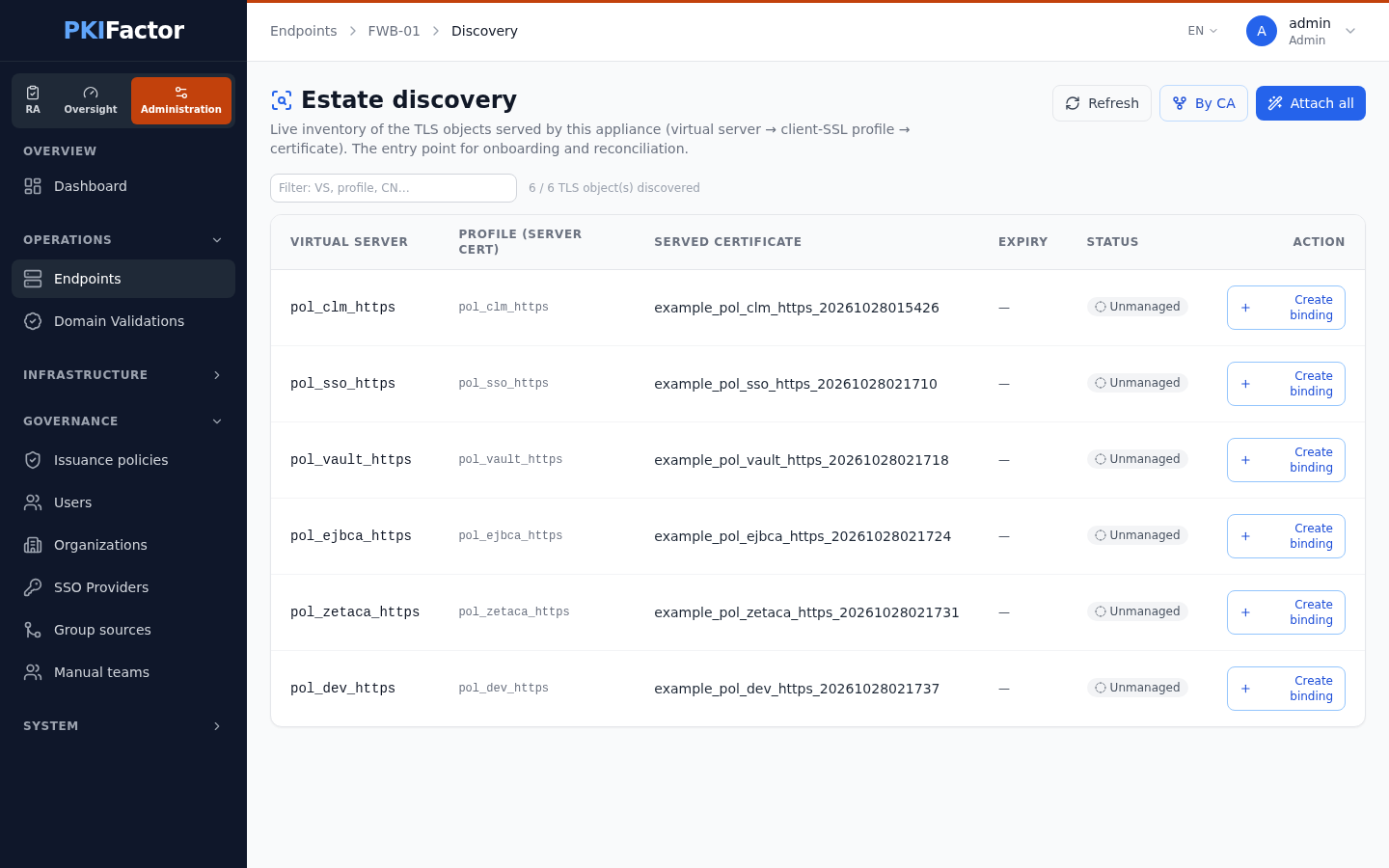
Discover estate lists every HTTPS server policy with the certificate it serves. Create a binding on each one, reusing a certificate PKIFactor already manages or issuing from a profile; Attach all takes over the renewal of certificates PKIFactor already issued, after a dry run.
Verification
PKIFactor periodically reads the serial number of the local certificate referenced by each policy and compares it with the expected one. A certificate changed outside PKIFactor, or a policy repointed by hand, is reported as drift and is not overwritten automatically.
Troubleshooting
| Symptom | Cause and fix |
|---|---|
| 403 on write | Session token expired (renewed automatically) or missing rights: check sysgrp and traroutegrp in read-write |
| 401, session expired | Re-authentication is automatic; if it persists, check the account and the VDOM |
| Object not found | Wrong VDOM: the policy is in another VDOM |
| Management TLS refused | Provide the private CA |
| Binding impossible | The server policy must exist (virtual server and server pool): PKIFactor points a policy at a certificate, it does not create policies |
FortiWeb has no partitions and no F5-style active/standby handling; server-ssl and forward-proxy inspection do not apply.