Palo Alto Networks PAN-OS
On a Palo Alto firewall, PKIFactor delivers the certificate of a site the firewall protects, so that SSL Inbound Inspection can decrypt the traffic to that site. Read How deployment works first.
Tested
Tested on a PA-VM firewall, PAN-OS 12.1: connection test, discovery of the decryption rules, import of certificate and key, replacement under the same name of a certificate used by an active rule (the rule served the new certificate without being changed), partial commit limited to PKIFactor's account, without interruption. With the restricted role below, the firewall itself refused every operation on the policies.
Not tested: Panorama (templates and device groups), and generation of the key and CSR on the firewall.
Two consequences of inspection
- Key custody
push_bothis mandatory. The firewall must hold the same private key as the site. PKIFactor generates the key and delivers it, identically, to the site (an F5, a server) and to the firewall. Choose Key generated by PKIFactor and pushed to the appliance: the form also offers key on the appliance, which is meant for certificates the firewall terminates itself and was not tested, and an inspection deployment with it fails because the firewall has no copy of the site's key. - Separation of roles. PKIFactor never creates, changes or deletes a rule. It manages certificates only, under a stable name; the decryption rule that references them belongs to the network team.
A certificate that belongs to the firewall itself (GlobalProtect portal, management interface) does not need this connector: the firewall can enroll it over SCEP with the PKIFactor SCEP gateway.
How it works on the device
The certificate and its key are imported through the PAN-OS XML API under a stable name: the name given in the binding's Decryption rule field, keeping letters, digits, ., _ and - (any other character becomes _), at most 31 characters (a PAN-OS limit). www.example.org stays www.example.org; *.example.org becomes example.org.
- Deploying imports certificate, chain and key into the candidate configuration (with a one-time import password), then commits.
- Renewing imports the new certificate under the same name. The decryption rule references the certificate by name, so it serves the new one as soon as the commit is done, without any change to the rule.
- Removing deletes the certificate and commits. If a rule still references it, PAN-OS refuses the deletion: the network team removes the reference first.
The import lands in the candidate configuration: if the commit fails, the running configuration, and the certificate it serves, stay untouched.
Partial commit
By default PKIFactor commits only its own changes (commit partial admin <PKIFactor account>), never the changes other administrators have pending. A partial commit needs an account and password: with an API key alone, PKIFactor cannot name the administrator to commit for.
Certificates are stored in Shared by default: usable by the rules of every virtual system and visible in the interface. The vsys location limits them to the configured virtual system.
Prerequisites: a restricted administrator
-
Admin Role Profile (Device > Admin Roles > Add), for example
pkifactor-cert:Tab Setting (recommended) Web UI Everything disabled XML API Import, Operational Requests, Commit enabled; everything else disabled, including Configuration Command Line None REST API Everything disabled Without Configuration, the firewall itself refuses any read or write of the policies: separation of roles is enforced by the device, in addition to the partial commit and the connector. The cost: discovery (which reads the rules) and removal (a configuration delete) are not possible with this role. Add Configuration only if you want them; separation then relies on the partial commit and on the connector, which never touches rules.
-
Administrator (Device > Administrators > Add):
pkifactor-svc, authentication profile None (local password), Role Based, profilepkifactor-cert. Commit. -
Allow HTTPS (443) from PKIFactor to the management interface.
Declare the firewall
Administration > Operations > Endpoints, Add a target, connector type Palo Alto Networks (PAN-OS):
| Field | Value |
|---|---|
| Host | The management interface (or the Panorama) |
| Service account, password | pkifactor-svc (needed for the partial commit) |
| API key | Optional, instead of account and password, without partial commit |
| VSYS | vsys1 by default |
| The host is a Panorama, Panorama template, Panorama device group | Panorama only (not tested) |
| Certificate location | shared (recommended) or vsys |
| Partial commit (PKIFactor's changes only) | On (default) |
| Verify the management TLS certificate, Management CA (PEM) | On, with the CA of the management certificate (or the certificate itself) |
| Certificate XPath (advanced) | Empty, unless support asks for it |
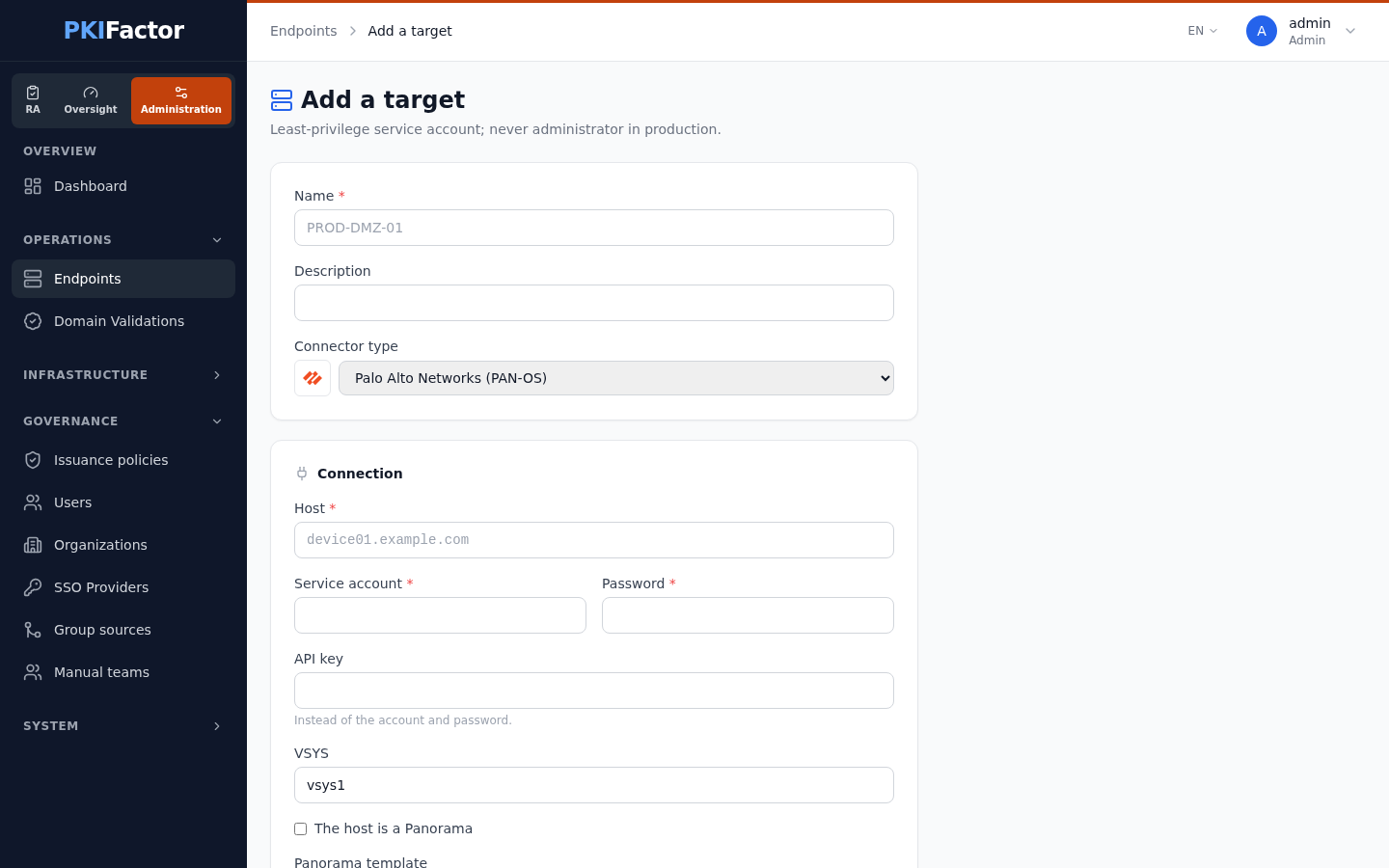
The management certificate of the firewall in this example was issued by PKIFactor for the firewall's own name, so TLS verification stays on with the issuing CA pasted in Management CA. With the factory self-signed certificate, paste that certificate itself instead: its name does not match the host, so verification will only pass once the firewall presents a certificate for its management name.
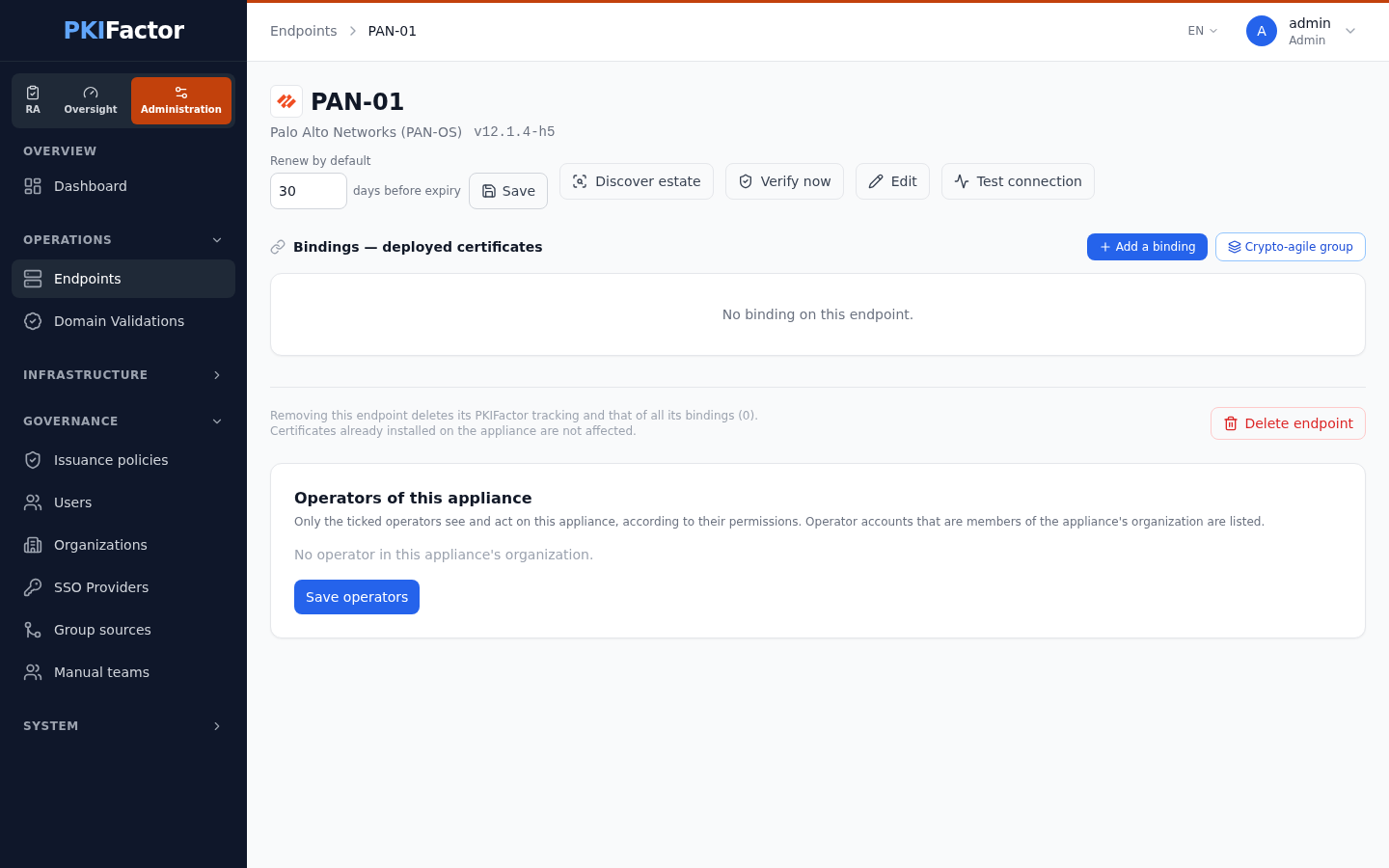
Test the connection answers with the model and the PAN-OS version, for example PAN-OS joignable (modèle PA-VM, version 12.1.4-h5) (connector messages are in French in this version).
Deploy a certificate
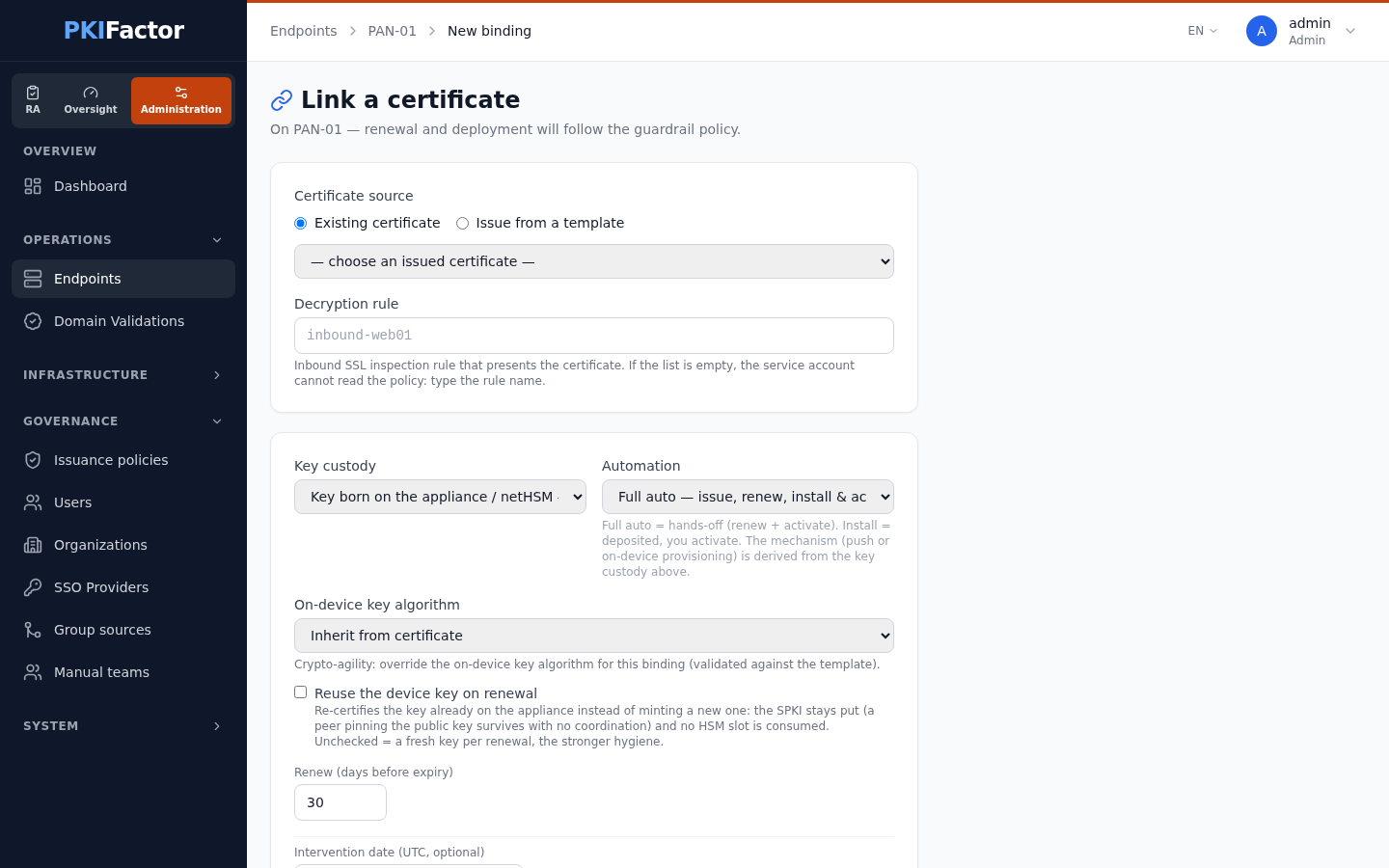
Create a binding (Add a binding): Issue from a template (PKIFactor issues the certificate and generates the key) or an existing certificate whose key PKIFactor holds, Decryption rule, custody Key generated by PKIFactor and pushed to the appliance, automation Full auto, D-X.
Since version 1.8.49 the form has this single field, Decryption rule, instead of the F5 terms virtual server and profile; the name you give is also the certificate's name on the firewall. When the account can read the policies, the field is a list of the decryption rules read from the firewall. With the restricted role (no Configuration) the firewall refuses that read and the field is a text box: type the rule name.
Once, the network team selects that certificate in the SSL Inbound Inspection rule (Policies > Decryption > rule > Options) and commits. Renewals then need nothing from them.
Troubleshooting
| Symptom | Cause and fix |
|---|---|
| Authentication refused at the test | Wrong account or password, or the role does not allow the XML API |
| code 17 on import | Import password too long; PKIFactor limits it to 31 characters, update PKIFactor if you see this |
| Certificate imported but not visible in the interface | Location vsys on a firewall without multiple virtual systems: use shared |
| Commit refused | The account lacks Commit, or the partial commit is used with an API key alone: give account and password |
| Discovery empty or refused | The role has no Configuration permission (expected with the restricted role) |
| Deletion refused | A rule still references the certificate |
| The rule still serves the previous certificate | The commit failed or is pending: check Tasks on the firewall |
Via the API
curl -s -b jar -X POST https://clm.example.com/api/deployment-targets \
  -H "Content-Type: application/json" \
  -d '{"name": "pa-edge", "target_type": "panos",
       "config": {"host": "pa-edge-mgmt.example.com", "username": "pkifactor-svc",
                  "password": "'"$PA_PASSWORD"'", "vsys": "vsys1",
                  "cert_location": "shared", "partial_commit": true, "verify_ssl": true}}'
curl -s -b jar -X POST https://clm.example.com/api/deployment-targets/13/test
curl -s -b jar -X POST https://clm.example.com/api/deployment-targets/13/bindings \
  -H "Content-Type: application/json" \
  -d '{"template_id": 1, "common_name": "www.example.org",
       "client_ssl_profile": "inbound-web01", "virtual_server": "inbound-web01",
       "custody_mode": "push_both",
       "automation": "full_auto"}'
client_ssl_profile and virtual_server, as the form does. All routes and their parameters are in /api/v1/docs, tag deployment.