Progress Kemp LoadMaster
The Kemp LoadMaster terminates TLS in front of its Virtual Services. PKIFactor supplies and renews their certificates in one of two ways, chosen by the organization:
| Mode 1: the LoadMaster's ACME client (recommended) | Mode 2: the PKIFactor connector | |
|---|---|---|
| Private key | Generated on the LoadMaster, never leaves it | Generated by PKIFactor, uploaded with the certificate |
| Account on the LoadMaster for PKIFactor | None | A restricted API account |
| Who renews | The LoadMaster, before expiry | PKIFactor, at D-X |
| Policy (CA, algorithms, names, validity) | Enforced by PKIFactor on each ACME request | Enforced by PKIFactor at issuance |
Read How deployment works for mode 2.
Tested
Tested on LoadMaster LMOS 7.2.63 with Microsoft AD CS as the issuing CA:
- mode 1: account registration with a one-time EAB key, refusal of a name outside the key's scope, HTTP-01 challenge, issuance by AD CS, certificate served on a TLS Virtual Service, forced renewal served without any intervention, with no PKIFactor account on the device;
- mode 2: upload, binding to a Virtual Service, rotation without interruption, removal; the restricted account was refused user management, system settings and backup.
Mode 1: the LoadMaster's ACME client
The LoadMaster has a built-in ACME client. PKIFactor acts as the ACME server in front of your internal CA.
In PKIFactor
- A certificate profile with ACME enabled and external account binding (EAB) required, issuing from your CA, with the HTTP-01 challenge allowed. It must allow RSA 4096: the LoadMaster's client ignores the key size setting with this provider type and always generates RSA 4096 keys.
- A one-time EAB key limited to the Virtual Service's names (Infrastructure > External accounts (EAB)). It is consumed when the LoadMaster registers; a request for another name is refused.
See ACME for profiles and EAB keys.
On the LoadMaster
- A Virtual Service on port 80, HTTP, without any real server: the LoadMaster uses it for the HTTP-01 challenge and adds what it needs itself. The name must resolve to it.
- Certificates & Security > ACME Certificates: provider type DigiCert, the type that accepts a directory address and an EAB key. The Let's Encrypt type is wired to Let's Encrypt and cannot point to PKIFactor.
- Directory URL:
https://acme.example.com/acme/<profile path>/directory, then the EAB key identifier and HMAC key, then register the account. Set the directory URL before registering: it cannot be changed afterwards. - Request the certificate for the Virtual Service's name, then assign it once to the TLS Virtual Service.
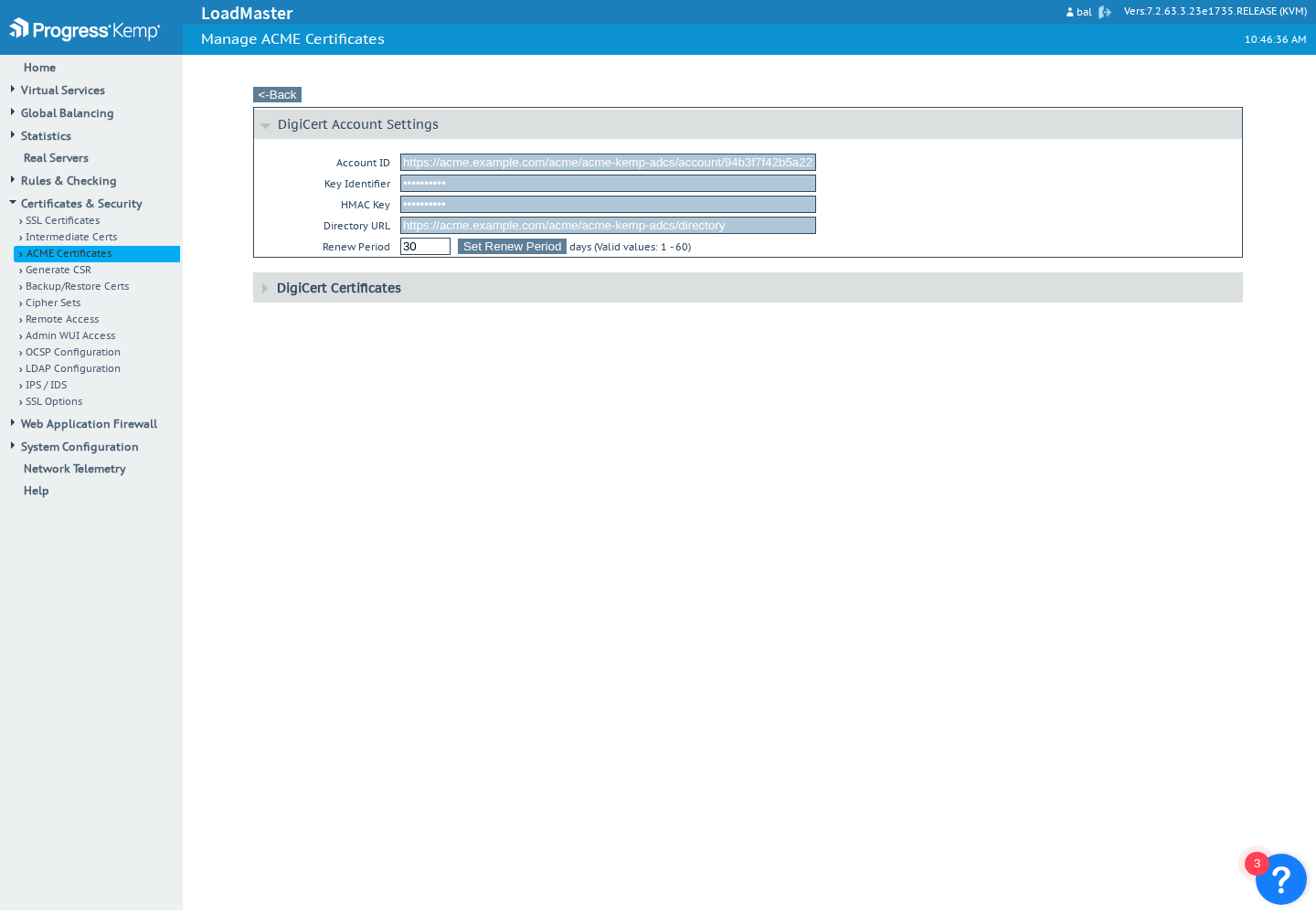
The LoadMaster renews the certificate before expiry (30 days by default). The Virtual Service refers to the certificate by name, so it serves the renewed certificate without intervention. Each issuance is in the PKIFactor inventory and audit trail, and a renewal is linked to the certificate it replaces.
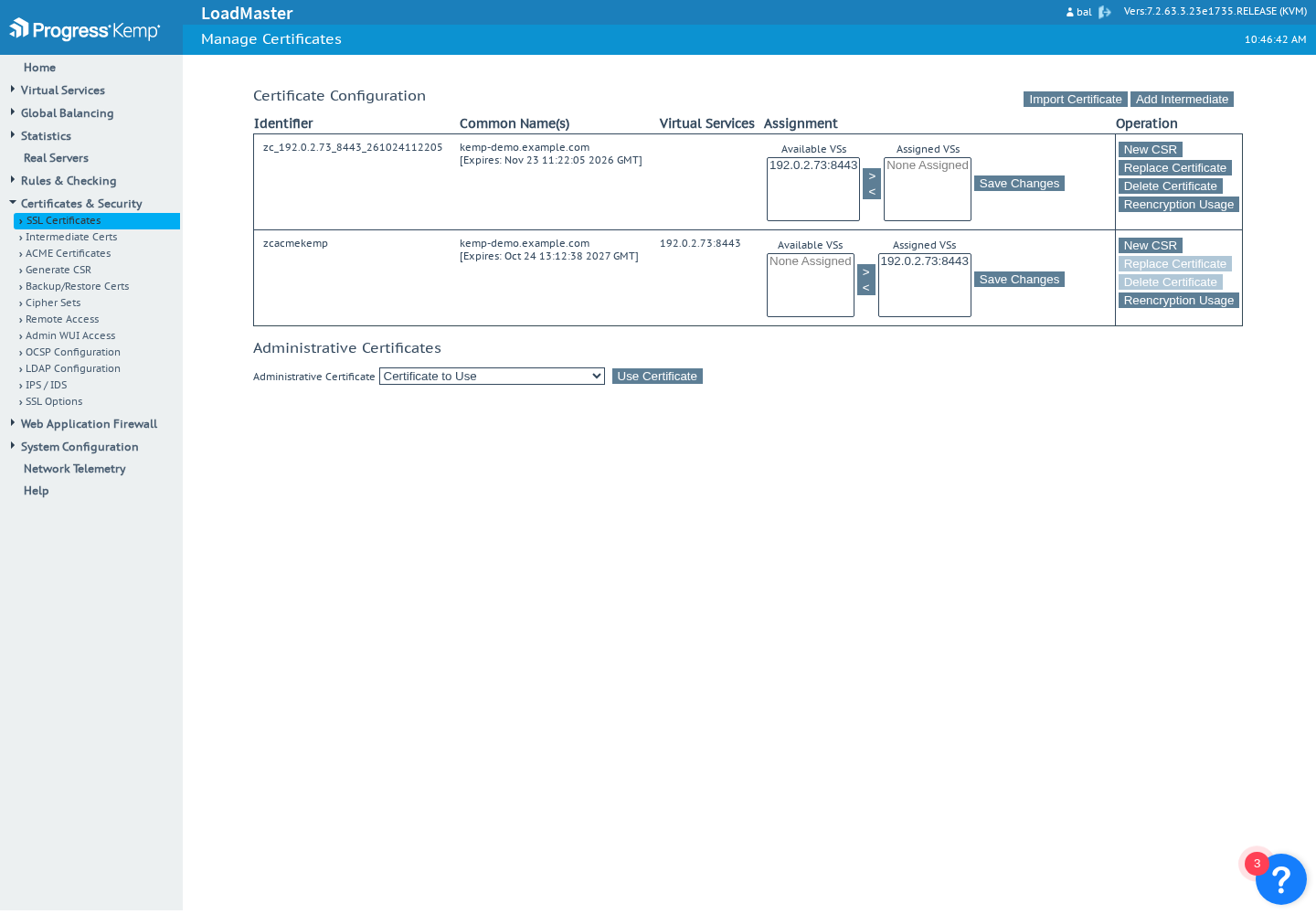
Removing the ACME configuration
On the LoadMaster, deleting the ACME configuration also removes the provider type, which only the bal administrator can set again from the interface.
Mode 2: the PKIFactor connector
PKIFactor generates key and certificate and uploads them through the LoadMaster's /access API.
How it works on the device
- Deploying uploads certificate, key and chain under a versioned name (
zc_<name>_<timestamp>, at most 32 characters, a LoadMaster limit), then assigns it to the Virtual Service, enabling SSL acceleration on it if needed. - Renewing uploads the new certificate, assigns it to the Virtual Service, then deletes the previous one: the service never stops serving.
- Removing deletes the certificate; the LoadMaster refuses while a Virtual Service still uses it.
A Virtual Service is designated by its nickname, by address:port, or by its index.
Prerequisites: a restricted API account
- Enable the API: Certificates & Security > Remote Access, Enable API Interface, and restrict access to the PKIFactor address where your LMOS version allows it.
- System Configuration > System Administration > User Management: create
pkifactor_svcwith only Certificate Creation, Intermediate Certificates and Virtual Services (needed to assign the certificate). Nothing else: no All Permissions, no user administration, no backup. - Give the account its credentials: an API key (recommended), or a local password. A restricted account created with No Local Password cannot authenticate with a password (401); with a local password it can (tested on LMOS 7.2.63.3).
Since version 1.8.49, PKIFactor sends the API key in the body of each request, never in its address, so it does not appear in the logs of the LoadMaster or of a proxy. Certificate uploads use the LoadMaster's /accessv2 interface, the other commands /access.
Declare the LoadMaster
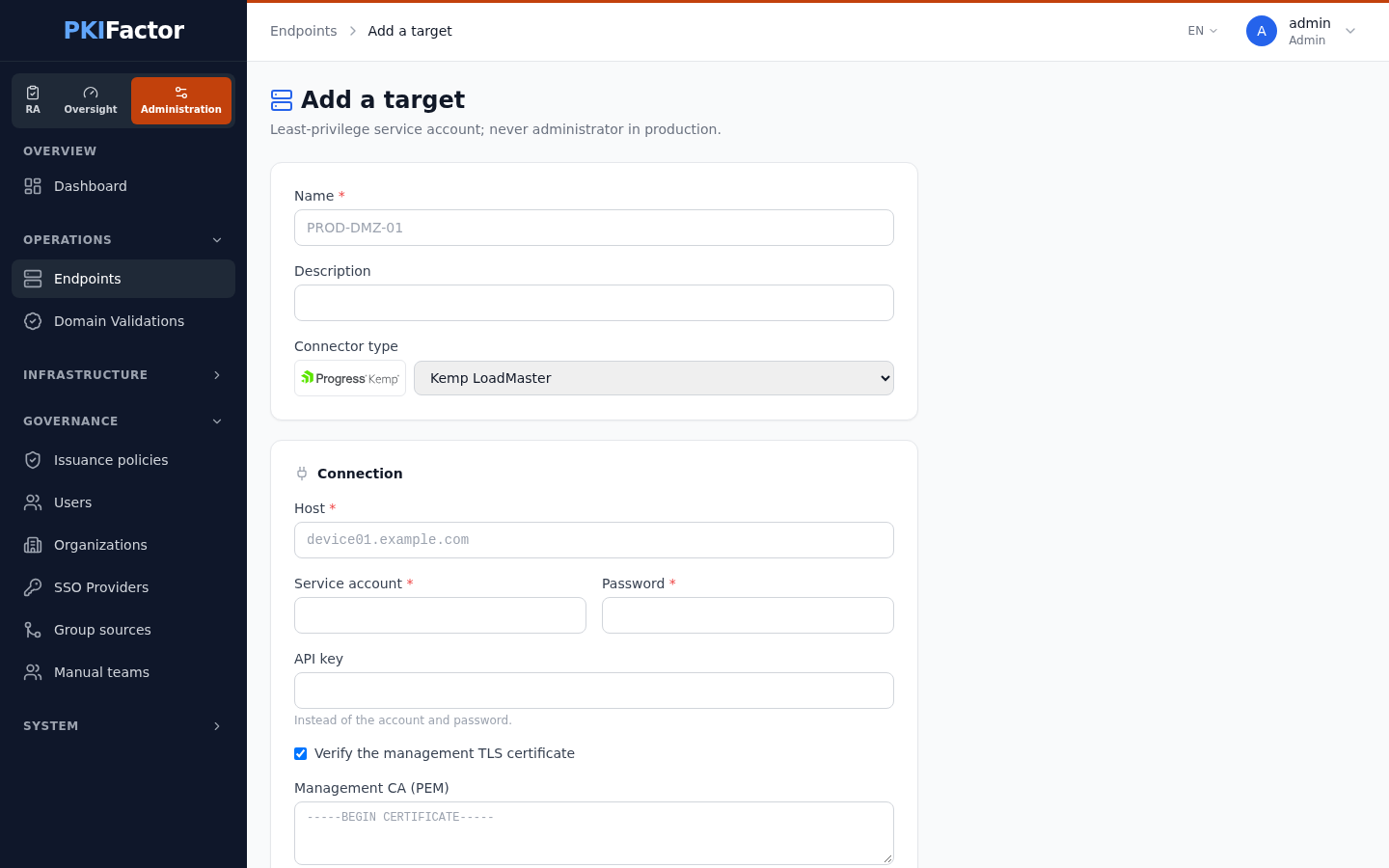
Administration > Operations > Endpoints, Add a target, connector type Kemp LoadMaster:
| Field | Value |
|---|---|
| Host | The management address |
| Service account, password | pkifactor_svc and its local password, or empty when an API key is given |
| API key | The key of pkifactor_svc |
| Verify the management TLS certificate, Management CA (PEM) | On, with the CA of the management certificate (or the certificate itself) |
Test the connection lists the Virtual Services and reads the version: Kemp LoadMaster joignable (API /access/) (connector messages are in French in this version). Discover estate lists each TLS Virtual Service with the certificate it uses.
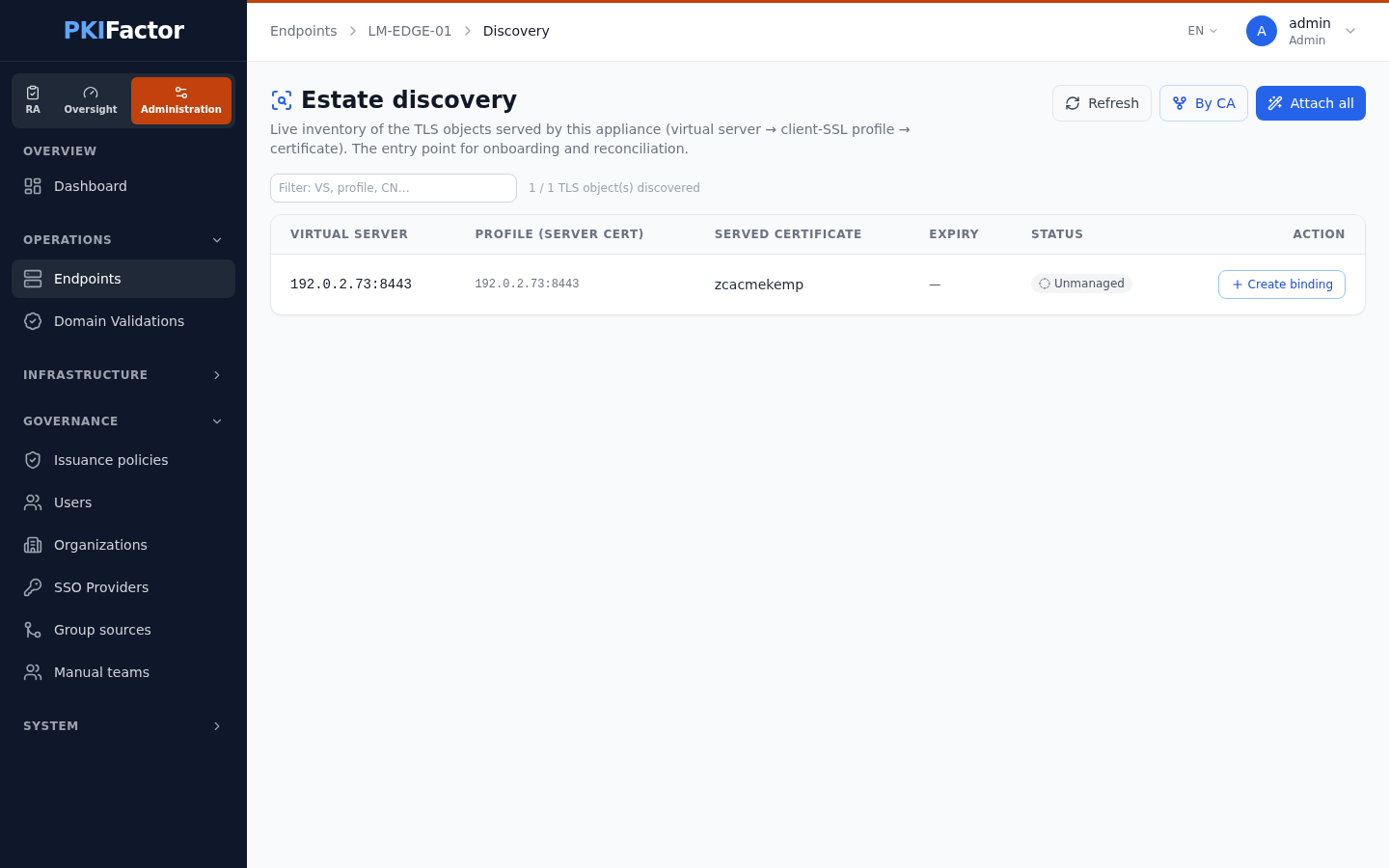
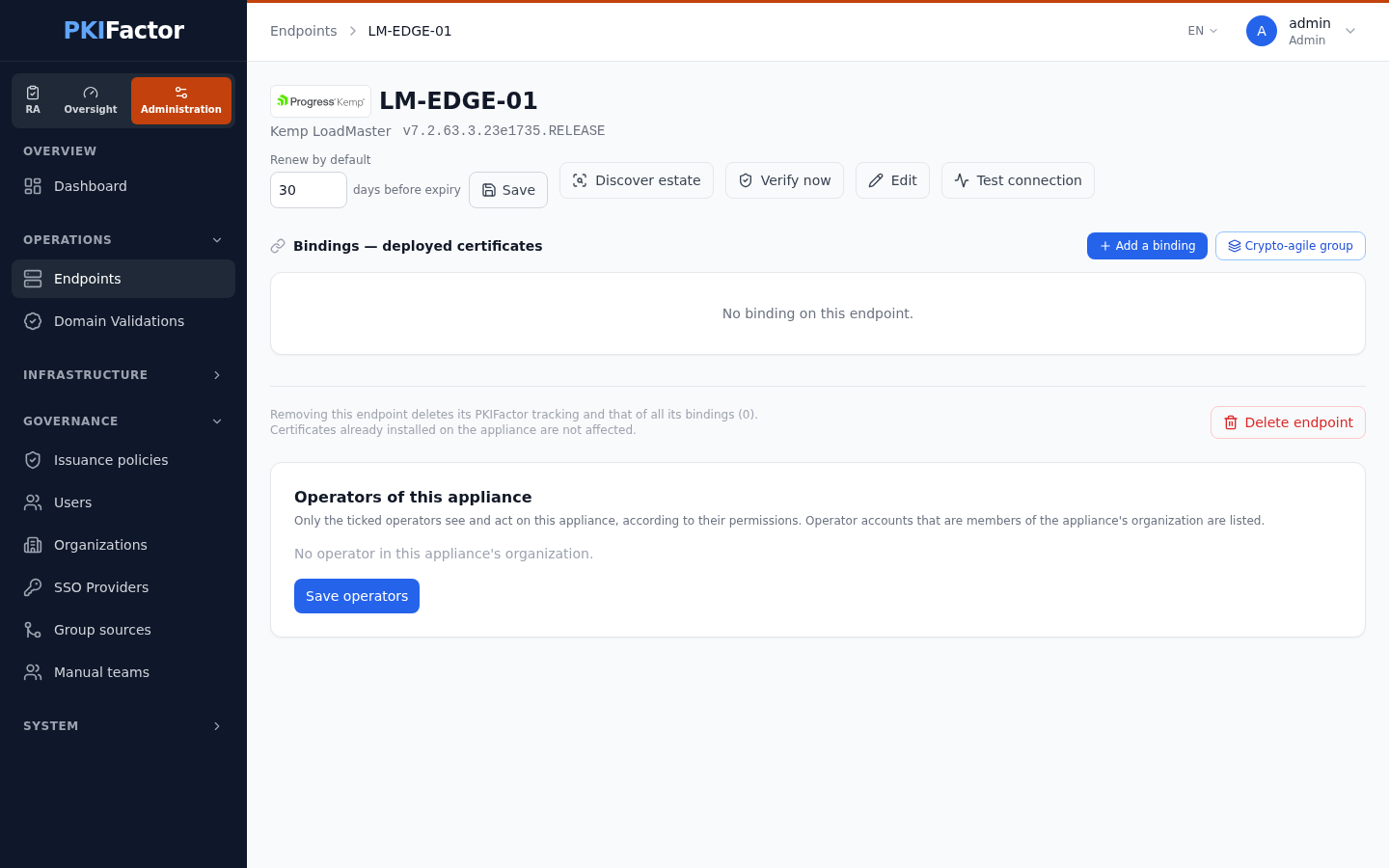
Deploy a certificate
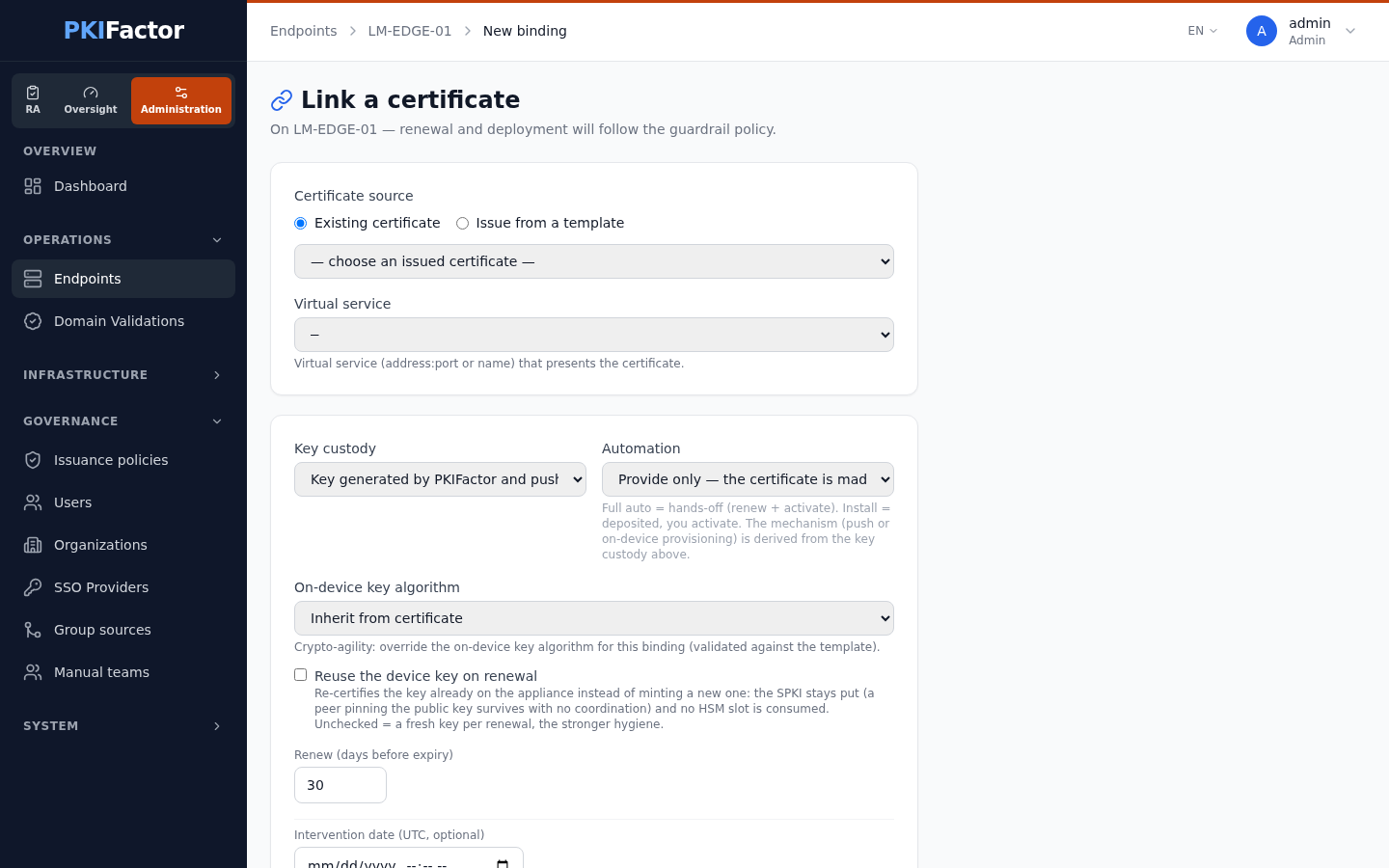
Create a binding (Add a binding): Issue from a template or an existing certificate whose key PKIFactor holds, Virtual service (nickname, address:port or index, chosen in the list read from the LoadMaster or typed in), custody Key generated by PKIFactor and pushed to the appliance (the only choice in mode 2), automation Full auto, D-X. The form has a single field for the virtual service: since version 1.8.49 it no longer shows the F5 terms virtual server and client-ssl profile.
Troubleshooting
| Symptom | Mode | Cause and fix |
|---|---|---|
| ACME order refused for a name | 1 | The name is outside the EAB key's scope: issue a new key with the right names |
| ACME order refused on the key | 1 | The profile does not allow RSA 4096 |
| HTTP-01 challenge fails | 1 | The port 80 Virtual Service has a real server, or the name does not resolve to it |
| The directory URL cannot be changed | 1 | Expected after registration: delete the ACME configuration and register again with a new EAB key |
| 401 at the test | 2 | Check that the API interface is enabled; with a password, check that the account has a local password (not No Local Password) |
| Permission denied on binding | 2 | The account lacks Virtual Services |
| Certfile still associated with a VS | 2 | Removal of a certificate still in use: assign another certificate first |
Via the API (mode 2)
curl -s -b jar -X POST https://clm.example.com/api/deployment-targets \
  -H "Content-Type: application/json" \
  -d '{"name": "lm-edge", "target_type": "kemp",
       "config": {"host": "lm-edge.example.com", "api_key": "'"$KEMP_API_KEY"'",
                  "verify_ssl": true}}'
curl -s -b jar -X POST https://clm.example.com/api/deployment-targets/14/test
curl -s -b jar https://clm.example.com/api/deployment-targets/14/discover
curl -s -b jar -X POST https://clm.example.com/api/deployment-targets/14/bindings \
  -H "Content-Type: application/json" \
  -d '{"template_id": 1, "common_name": "app.example.org",
       "client_ssl_profile": "app-https", "virtual_server": "app-https",
       "custody_mode": "push_both",
       "automation": "full_auto"}'